NM-EPD-420 Factory Test Quick Start
This guide walks you through running the factory test firmware on the NM-EPD-420 board.
What This Firmware Does
The factory test firmware exercises every on-board peripheral in a fixed sequence (T0–T11), shows a result page on the EPD for every step, and lets the operator confirm or reject each step with the USER and BOOT buttons. At the end a one-page summary screen lists every test as PASS / FAIL / SKIP.
- Boots the board and initialises every peripheral driver
- Runs 10 hardware tests one after another
- Renders a dedicated screen for every test on the 3-color e-paper panel
- Plays audio tones and Beethoven's Ode to Joy through the ES8311 codec
- Records a short voice clip from the LMD4737 DMIC and computes RMS
- Probes I2C, scans Wi-Fi, mounts an SD card, talks to the LoRa modem
- Prints a structured summary on the EPD and a machine-parseable line on the serial port
A complete run typically takes ~3 minutes, dominated by EPD full-refresh time (~10 s per page on a 3-color panel).
Test Sequence
| Test | Item | Description | Screen |
|---|---|---|---|
| T0 | System startup | Serial / EPD init, welcome screen, wait USER | 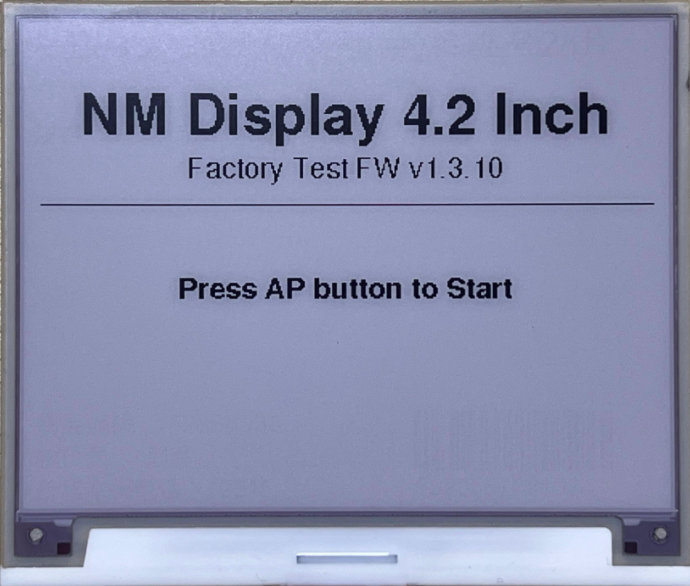 |
| T1 | EPD display | White / Black / Red fill + text demo | — |
| T2 | WS2812 RGB LED | RED → GREEN → BLUE → WHITE cycle | 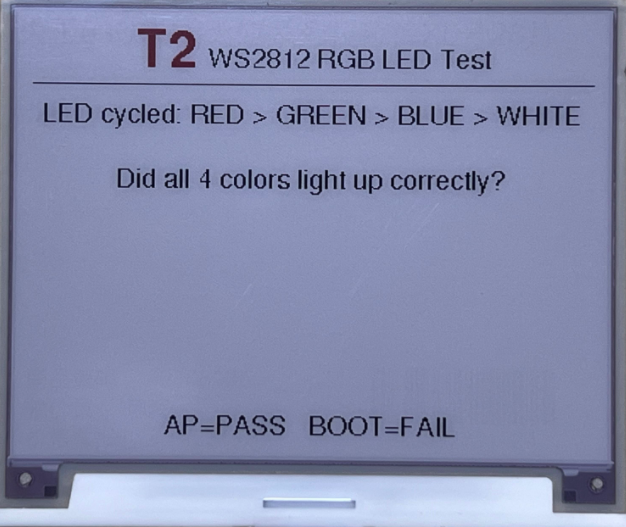 |
| T3 | Buttons | USER key and BOOT key press detection | — |
| T4 | ES8311 codec | Sweep 500/1k/2k/3k Hz + Ode to Joy melody | 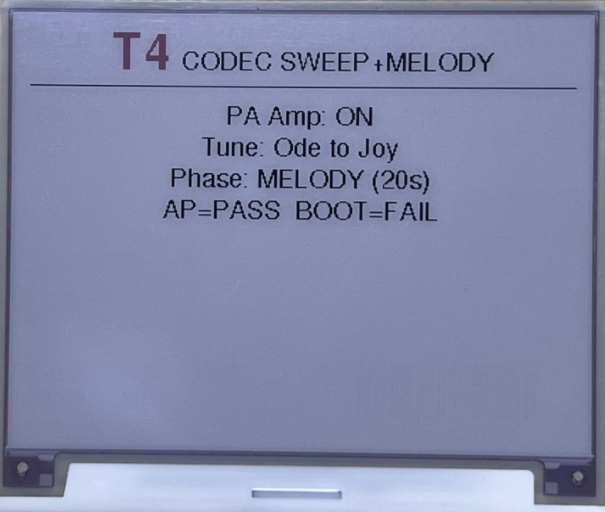 |
| T5 | DMIC mic | Voice record + speaker loopback + RMS check | 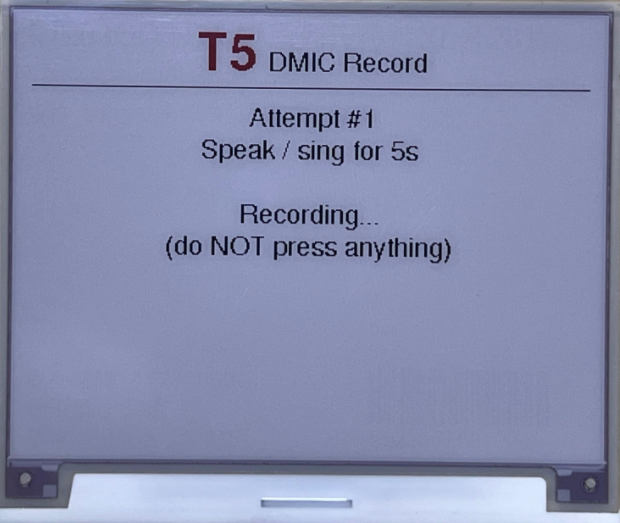 |
| T6 | AHT20 sensor | Temperature & humidity over I2C | 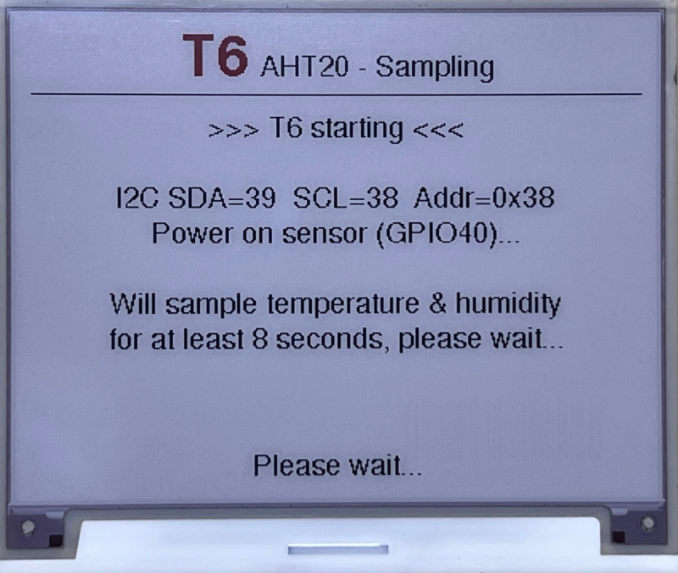 |
| T7 | Battery ADC | Battery divider voltage (SKIP if not fitted) | — |
| T8 | Wi-Fi scan | 2.4 GHz AP scan, expect ≥ 1 network | 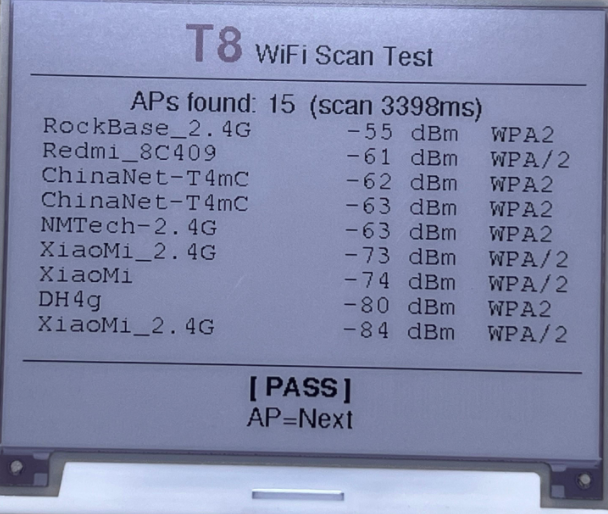 |
| T9 | SD card R/W | FSPI mount + write / read-back verify | 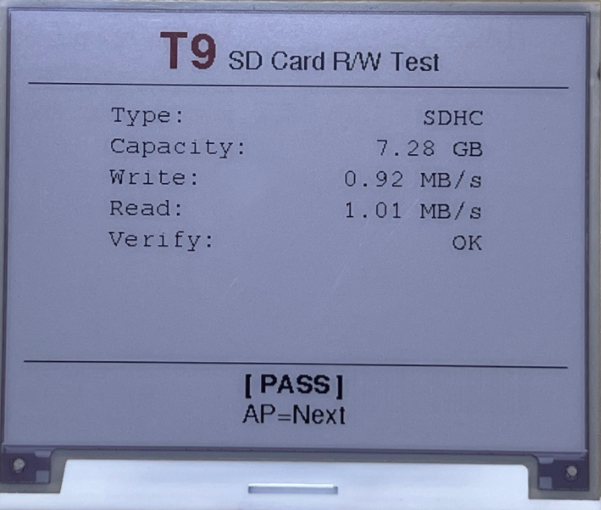 |
| T10 | LoRa SPI bus | Reset modem, check BUSY low | — |
| T11 | Summary | Per-item PASS/FAIL/SKIP table + verdict | 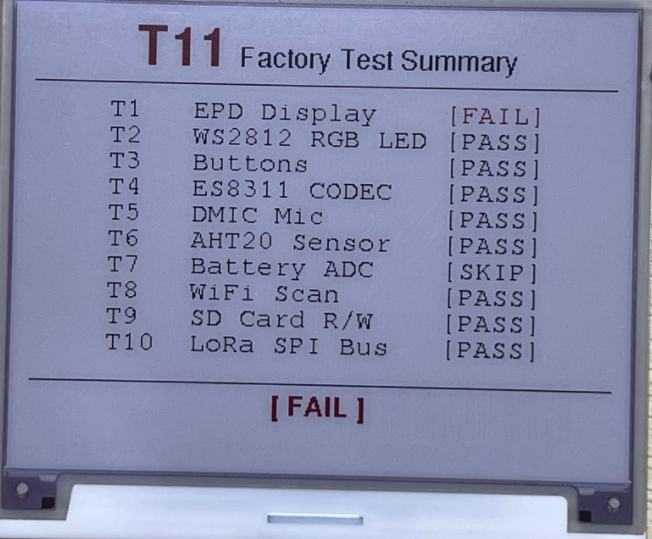 |
Operator Workflow
   power on
      │
      ▼
   ┌─────────────┐
   │ T0 Welcome  │ ──► press USER
   └─────────────┘
         │
         ▼
   ┌─────────────┐
   │ T1 – T10    │
   │ for each:   │
   │   show screen
   │   run hardware
   │   USER = PASS
   │   BOOT = FAIL
   └─────────────┘
         │
         ▼
   ┌─────────────┐
   │ T11 Summary │ ──► halt; power-cycle to retest
   └─────────────┘
Buttons are debounced (5 – 10 ms samples) and gated against EPD BUSY so a press during a refresh cannot be consumed as a verdict for the next test.
Build & Flash
Prerequisites: PlatformIO Core (or VS Code + PlatformIO extension).
# Clone the repository, then in repo root:
$env:IDF_GITHUB_ASSETS = "dl.espressif.cn/github_assets"   # optional, China mirror
pio run                                                    # build
pio run --target upload --upload-port COM38                # flash
pio device monitor --baud 115200                           # serial console
Or one-shot via VS Code tasks:
- Build (nm-epd-420)
- Upload (nm-epd-420)
The first build downloads the ESP-IDF toolchain (~hundreds of MB) into %USERPROFILE%\.platformio. Subsequent builds take ~25 s.
Serial Output Example
[FACTORY TEST] Board: NM-EPD-420
[FACTORY TEST] FW: v1.3.10
[FACTORY TEST] T0 - System startup OK
...
[FACTORY TEST] T1 START - EPD Display
[T1] Round 1/4 - Filling screen WHITE ...
[T1] BUSY self-check: sawHigh=1  highMs=2873
...
[FACTORY TEST] ===== SUMMARY =====
[FACTORY TEST] T1   EPD Display    [PASS]
[FACTORY TEST] T2   WS2812 RGB LED [PASS]
...
[FACTORY TEST] Overall: FACTORY_TEST=OK
Troubleshooting
| Issue | Solution |
|---|---|
sawHigh=0 on T1 | Check BUSY-pin wiring (open net, cold solder joint, wrong GPIO) |
| EPD misbehaves after porting | Look at Display::resync() in src/ui/display_helper.h |
| No audio on T4 | Verify PIN_PA_CTRL is HIGH and external PA is enabled |
| SD card fails on T9 | Ensure HSPI pins (7–11) are not occupied by other functions |
| Wi-Fi scan empty on T8 | Move closer to an AP or check antenna connection |