NM-Display-2.8 ESP-Claw: Edge AI Agent with Voice & Motion
Turn your NM-Display-2.8 into a multimodal Edge AI Agent — see, hear, feel, and chat.
Overview
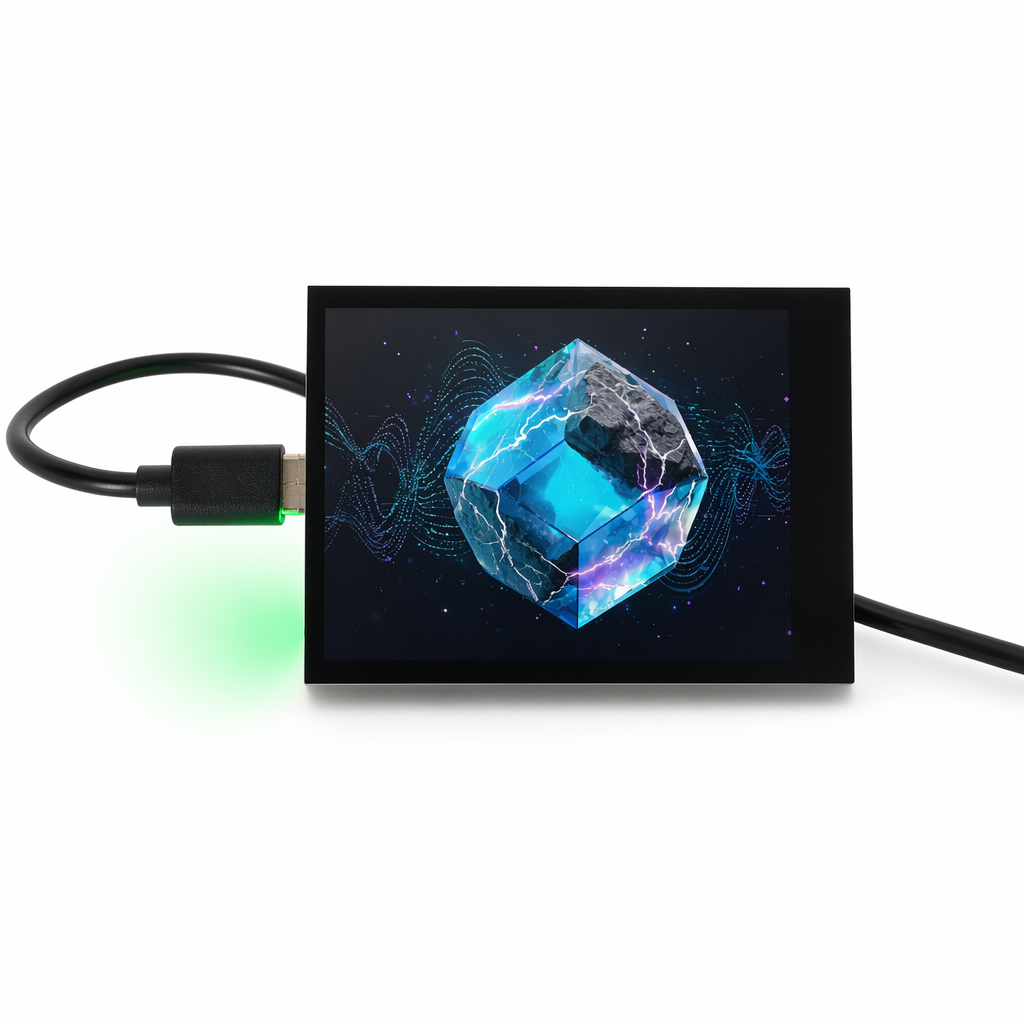
The NM-Display-2.8 ESP-Claw brings the ESP-Claw AI Agent framework to RockBase's premium ESP32-S3 display platform. While the NM-CYD-C5 focuses on raw wireless versatility, the NM-Display-2.8 adds a complete human-machine interface stack — capacitive touch, 6-axis IMU, real-time clock, audio codec, and battery power management — making it the ideal hardware for voice-enabled AI Agents, gesture-controlled IoT dashboards, and portable smart assistants.
With 16 MB Flash, 8 MB PSRAM, and a rich set of onboard sensors, NM-Display-2.8 runs ESP-Claw's Agent Loop locally while leveraging its 2.8" capacitive touchscreen for visual feedback and its ES8311 audio codec for voice interaction. Natural language becomes your remote control, and the device responds with both graphics and sound.
Core Selling Points
Multimodal Edge AI Agent
See on the 2.8" TFT, hear through the onboard audio codec, feel via the 6-axis IMU — ESP-Claw on NM-Display-2.8 is a multimodal AI Agent. The ESP32-S3's AI acceleration vector instructions help run lightweight perception tasks on-device, while reasoning stays connected to your favorite LLM.
Voice-Ready Out of the Box
The ES8311 audio codec (I2S) enables playback and recording without extra modules. Ask your device questions through Telegram or WeChat, and it replies with synthesized voice or visual widgets on screen.
Capacitive Touch — Smooth & Precise
A FT6336 capacitive touchscreen replaces resistive panels for modern, finger-friendly interaction. Swipe through device status cards, tap to confirm agent actions, or draw gesture shortcuts.
Motion-Aware Intelligence
The onboard QMI8658 6-axis IMU lets ESP-Claw sense orientation, shake, and tap gestures. Use physical motion as event triggers: flip the device to mute, shake to summon the agent, or tilt to scroll menus.
Battery-Powered Portability
With the AXP2101 PMU and a 3.7V LiPo battery interface, NM-Display-2.8 operates unplugged. ESP-Claw's event-driven architecture keeps power consumption low until the agent is actually needed.
Chat Coding with Visual Preview
Talk, and it codes — just like on CYD. But here, the generated Lua scripts can also draw widgets, charts, and notifications on the 2.8" screen. The LLM now controls both logic and UI.
Rich Onboard Ecosystem
Display, touch, IMU, RTC, audio, SD card, battery management, and optional camera — everything shares a compact, ready-to-go board. No breadboards, no dangling wires.
What's ESP-Claw
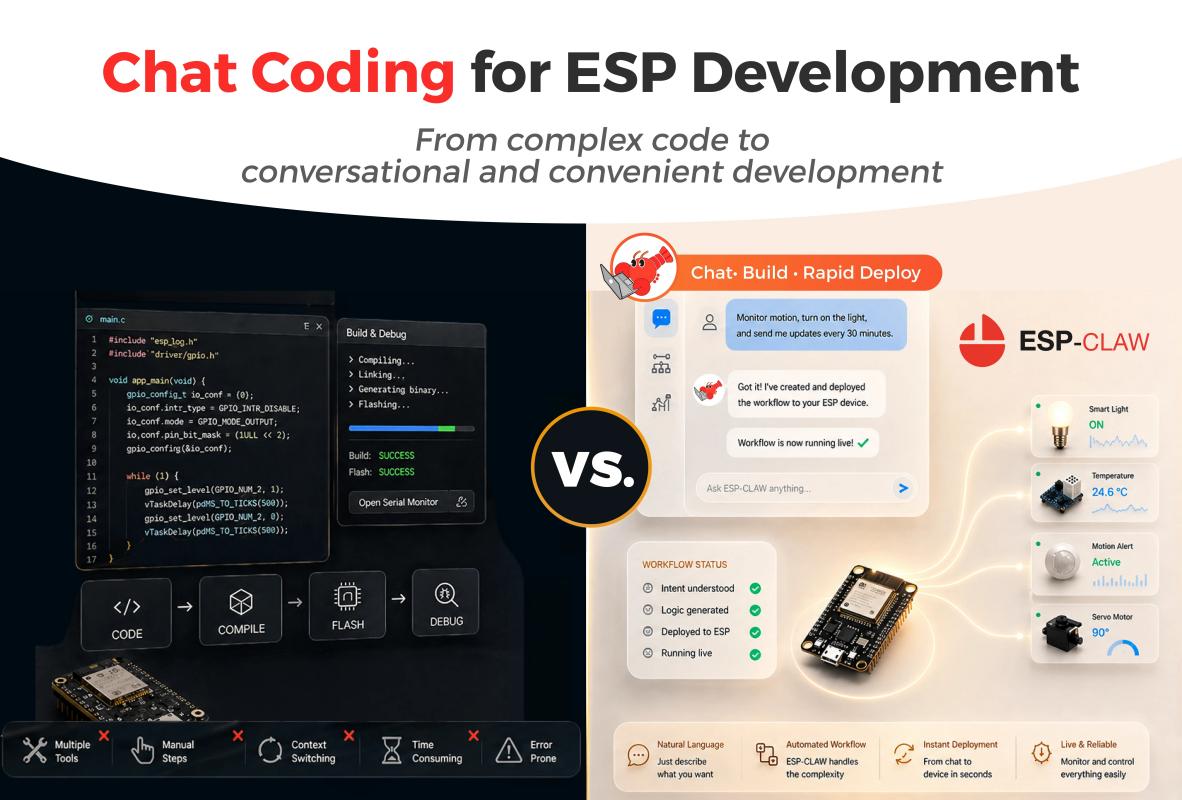
ESP-Claw is Espressif's Chat Coding AI agent framework for IoT devices. It defines device behavior through conversation and completes the full loop of sensing, decision-making, and execution locally on Espressif chips. Inspired by the OpenClaw concept and reimplemented in C, ESP-Claw is lightweight, intelligent, and continuously evolving.
On the NM-Display-2.8, ESP-Claw gains a face and a voice: the ST7789 display renders agent status and user widgets, while the ES8311 codec enables audio feedback. The result is an AI Agent you can truly interact with — not just configure over serial.
Key Features
| Feature | Description |
|---|---|
| Chat as Creation | IM chat + dynamic Lua loading. Define behavior and UI without programming. |
| Event Driven | Touch, IMU motion, timer, or voice events trigger the Agent Loop in milliseconds. |
| Structured Memory | On-device memory organization. Privacy stays off the cloud. |
| MCP Communication | Standard MCP device support — Server and Client modes. |
| Ready Out of the Box | Flash via NMIOT Web Flasher. Configure over captive-portal Wi-Fi. |
| Component Extensibility | Display, audio, IMU, and touch drivers are modular — trim or extend as needed. |
Hardware Requirements
| Item | Specification |
|---|---|
| Board | NM-Display-2.8 (ESP32-S3) |
| Flash | 16 MB |
| PSRAM | 8 MB |
| Display | 2.8" ST7789, 320×240 |
| Touch | FT6336 capacitive touchscreen |
| Audio | ES8311 codec (I2S playback + recording) |
| Motion | QMI8658 6-axis IMU |
| Power | AXP2101 PMU with LiPo battery support |
| Wireless | Wi-Fi 4 + Bluetooth 5 LE |
| Extras | RTC, SD card slot, optional DVP camera |
Quick Start
1. Get the Hardware
Purchase the NM-Display-2.8 from:
2. Flash ESP-Claw Firmware
NMIOT Web Flash Tool supports one-click flashing for NM-Display-2.8. Select:
- Project:
espclaw - Device:
nm-display-28inch - Version: latest stable
Click Flash and wait for the progress bar to complete.
3. Configure AI Model
After reboot, connect to the ESP-Claw-XXXX Wi-Fi AP and open http://192.168.4.1. Enter your preferred LLM API key (OpenAI, DeepSeek, Kimi, etc.) and save.
3.1 Status Page Switching
On the nm-display-28inch device, the status page switching feature has been adjusted to accommodate the different touchscreen and support LCD touch painting applications. Users can switch status pages by pressing the BOOT button (the first button on the top-left corner).
4. Start Chatting
Add the device's bot in your IM app. Try saying:
"Show a clock widget on the screen and read the time aloud every minute."
ESP-Claw will generate Lua that drives both the ST7789 display and the ES8311 codec.
Example 1: Record Voice
If you want to capture an audio sample, just ask:
"Record a 5-second voice memo and save it as 'memo.wav'." ESP-Claw will use the ES8311's I2S recording capability to capture audio and store it on the SD card or internal flash. Or, you can ask esp-claw to send the audio file to your IM chat for instant playback.
Example 2: Camera Preview Skill
The ESP-Claw firmware provided by RockBase-IoT includes a built-in camera preview skill, supporting on-board cameras (such as OV2640).
Use this skill when the user asks to preview the camera, show the camera output, open the camera, run a camera demo, or test that the camera works.
The Lua script grabs frames from the on-board camera and pushes them to the LCD using the display module. RGB565 / RGB565X pixel formats are supported.
The official firmware also supports audio recording and video recording. Users can ask ESP-Claw to record a video or audio clip and save it to the SD card or internal flash, or even send it directly to the IM chat.
Audio and video files can be quite large. If you need these features, it is strongly recommended to equip the device with an SD card; otherwise, the operation may fail due to limited internal flash space.
Additionally, due to the performance constraints of the ESP32-S3, ESP-Claw currently cannot perform video encoding on the device side. The quality and performance of recorded files will be relatively limited.
Example 3: LCD Touch Paint
Please send the following to your ESP-Claw:
Download the following Skill from ESP-Claw Skills Lab: lcd_touch_paint
Use this skill when the user asks for a drawing app, paint app, touch test, LCD touch demo, or finger drawing on the board’s display.
The Lua script uses the on-device board_manager, display, and lcd_touch modules to initialize the panel and render strokes that follow the user’s finger. It clears and redraws each frame, so no persistent buffer is needed.
Hardware Differences from NM-CYD-C5
| Capability | NM-CYD-C5 | NM-Display-2.8 |
|---|---|---|
| MCU | ESP32-C5 (RISC-V) | ESP32-S3 (Xtensa LX7) |
| Wi-Fi | Wi-Fi 6 (2.4 / 5 GHz) | Wi-Fi 4 (2.4 GHz) |
| Touch | Resistive (XPT2046) | Capacitive (FT6336) |
| Audio | Not onboard | ES8311 codec |
| IMU | Not onboard | QMI8658 6-axis |
| Battery | Not onboard | AXP2101 + LiPo support |
| Zigbee / Thread | Yes | No |
| Best For | Wireless hubs, RF gateways | HMIs, voice assistants, portable agents |
Choose NM-CYD-C5 when you need Wi-Fi 6, Zigbee, or Thread. Choose NM-Display-2.8 when you need a complete interactive AI terminal with touch, audio, and motion sensing.